Co-browsing for modern teams
See What Your Customers See. Guide Them in Real Time.
Add one line of code to your site. See every user session on a live dashboard. Jump in to navigate, draw, and point — while you talk them through it. No downloads, no screen-share links, no friction.
No credit card required · Live in under 5 minutes · Works in any browser







The reality today
Your Team Is Flying Blind on Every Support Call
Blind Conversations
Your agent is on a call asking 'what page are you on?' while the customer tries to describe a button they can't find. Half the call is wasted on navigation instead of solving the actual problem.
Screen-Share Friction
'Let me send you a link.' The customer opens email, clicks a link, downloads an app, grants permissions. By the time it works, the momentum — and often the customer's patience — is gone.
Missed Signals
A power user is exploring your enterprise features right now. Your team has no idea. By the time they fill out a form — if they ever do — they've already evaluated two competitors.
The CobrowseApp way
See Their Screen. Guide Their Next Step.
Watch in Real Time
See exactly which pages your users are viewing, live. No delay, no guessing. When a high-value account starts exploring your pricing page or advanced features, you'll know immediately. Perfect for catching expansion signals the moment they happen.
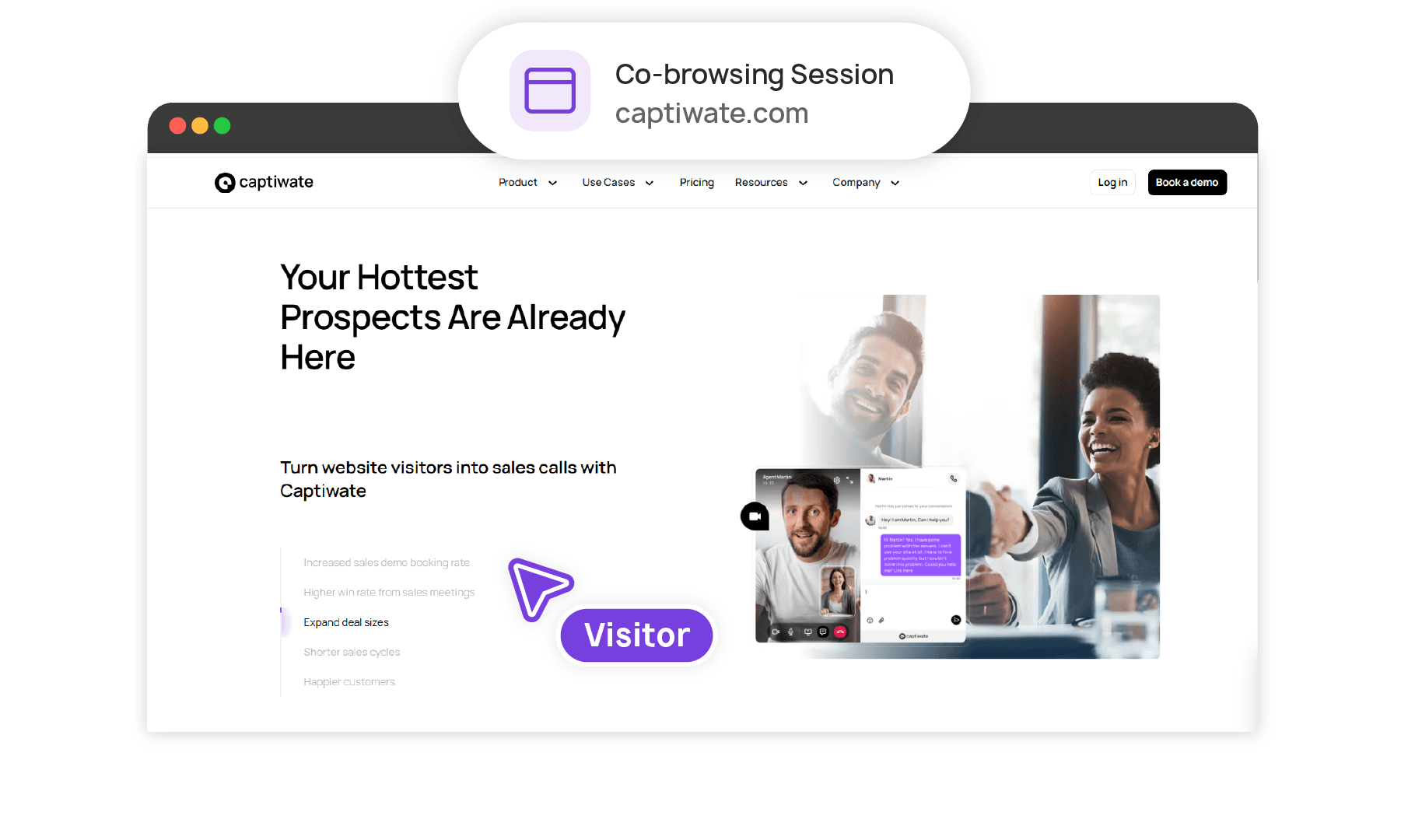
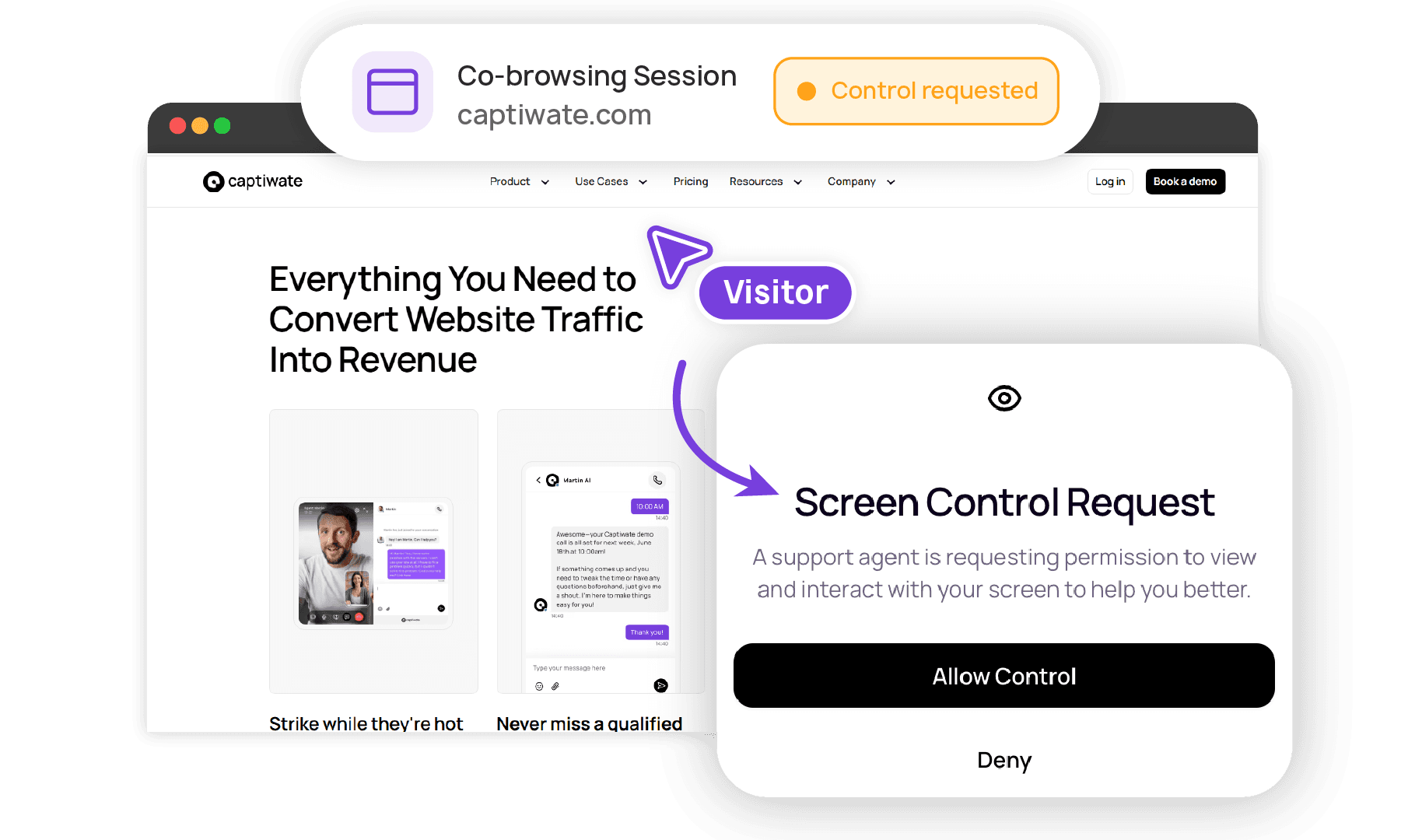
Navigate for Them
Request screen control with one-click approval. Click through pages for the customer — walk them through complex flows, demonstrate features they haven't discovered, guide them to exactly the right place.
Draw, Point, Highlight
Use a focus pointer to highlight elements on their screen without taking control. Circle, underline, and annotate in real time. Perfect for onboarding, training, or walking through configurations.
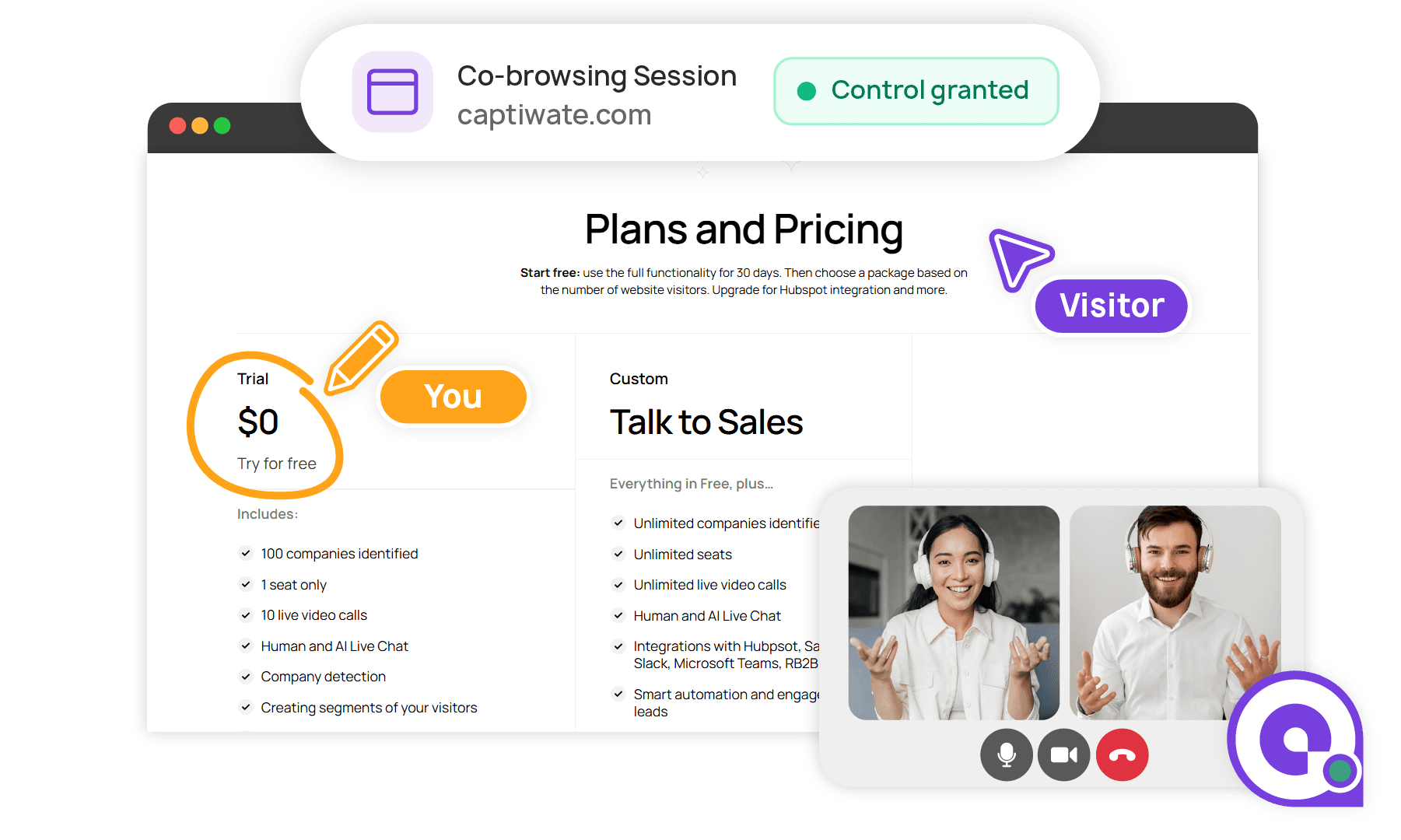
Chat & Video — Built Right In
No need to juggle Zoom links or separate chat tools. Start a live text conversation with any visitor on your site, then escalate to a face-to-face video call with one click. Your customer never leaves your website. Combine chat, video, and co-browsing in a single seamless session — so you can talk through the problem while you solve it together.

Up and running in minutes
Three Steps. Full Visibility.
Add the Snippet
Paste a single JavaScript snippet into your website or app. That's the entire technical setup. No SDKs, no server-side changes, no IT tickets.
See Every Session
Open your CobrowseApp dashboard and see every active user session in real time. Filter by page, company, user type, or behavior.
Connect and Guide
Click into any session to request a co-browse. The user approves with one click. Now you can navigate, point, draw, and talk them through it.
Works with your stack
Plugs Into the Tools You Already Use
Don't see your tool? We probably support it.
Measurable impact
The Numbers After CobrowseApp
Faster Resolution
One session replaces a dozen back-and-forth emails
First-Contact Resolution
See the problem firsthand — fix it the first time
Customer Satisfaction
Customers rate co-browse as their best support experience
Onboarding Time Saved
Guide new users to their aha moment in minutes
Without CobrowseApp
A customer submits a ticket: “I can't find the export button.” Your team replies asking which page they're on. The customer responds hours later. Back and forth continues. Issue resolved in 2 days.
With CobrowseApp
Your rep sees the customer is online, initiates chat, requests co-browse. Sees they're on the wrong page. Uses focus pointer to guide them to the right spot. Issue resolved in 3 minutes.
Pricing
Simple, Transparent Pricing
Every plan includes unlimited co-browsing sessions, drawing tools, and screen control. We'll find the right fit for your team.
Free trial available · No credit card required
Frequently Asked Questions
Ready to See What Your Customers See?
Book a 15-minute demo and see CobrowseApp live — with your own site.
No credit card · Free trial available · Live in 5 minutes